1. Add activity
Capture supported receipts, import statements or CSV files, or use a Plaid connection available on an eligible paid plan.
Six reviewable steps
Add the records you have. Expense Atlas helps clean, match, and categorize them, then recommends a Personalized Budget balanced across competing priorities. You still review and accept the targets before they become your operating plan.

Steps 1 to 3
A useful budget starts with organized inputs. Each stage includes a review path because document quality, provider data, and category suggestions can be incomplete.
Capture supported receipts, import statements or CSV files, or use a Plaid connection available on an eligible paid plan.
Review extracted merchant, date, amount, and line-item details. Match receipts with available transaction records where supported.
Confirm suggested categories and correct income, transfer, or spending records before they shape historical patterns.
Reconciliation proof
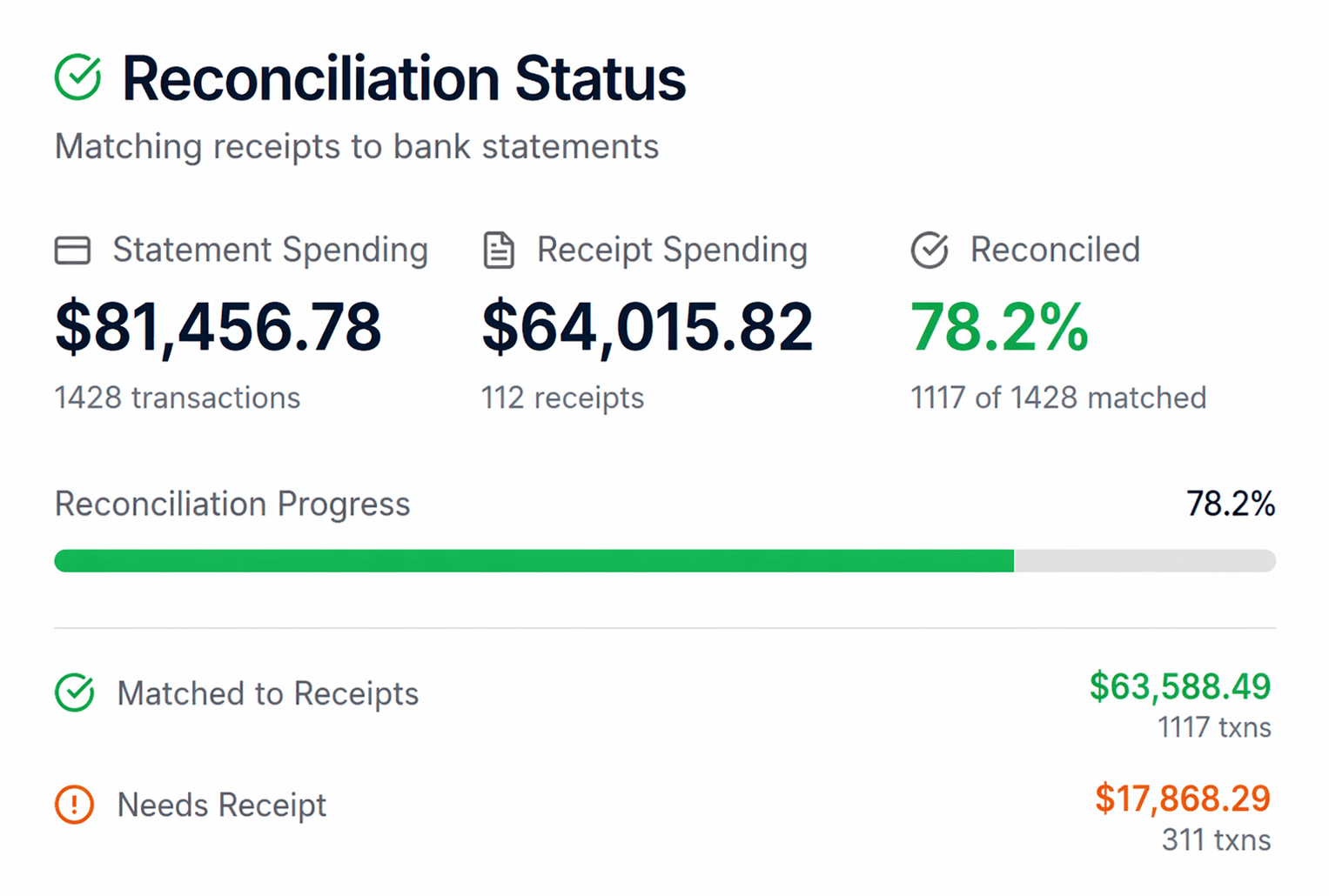
Reconciliation makes missing support visible. Expense Atlas can compare receipt totals with imported or connected records, surface matched activity, and leave unmatched items available for review.
A match depends on available fields and supported records. It does not prove that every purchase has a receipt or that every extracted value is correct.
Steps 4 and 5
Expense Atlas uses bounded mathematical optimization to recommend a Personalized Budget that balances debt, emergency savings, goals, retirement, liquidity, and everyday spending. The generated recommendation and the budget you adopt stay deliberately separate.
Generated recommendation
Essential expenses, minimum payments, and other protected priorities stay intact while the calculator recommends a balanced allocation across the choices that fit your inputs.
Saved reference
After you review the targets and assumptions, accepting saves that version as a stable reference. Later recalculations do not silently replace it.
Current working budget
The Accepted Budget remains the base while current category overrides replace only the targets you change. This is the budget used for comparison.
Review is part of the mechanism. The recommendation is optimized within your constraints and priorities; it does not solely maximize or guarantee net-worth growth. Recommendations can change as history, goals, preferences, or household circumstances change.
Step 6
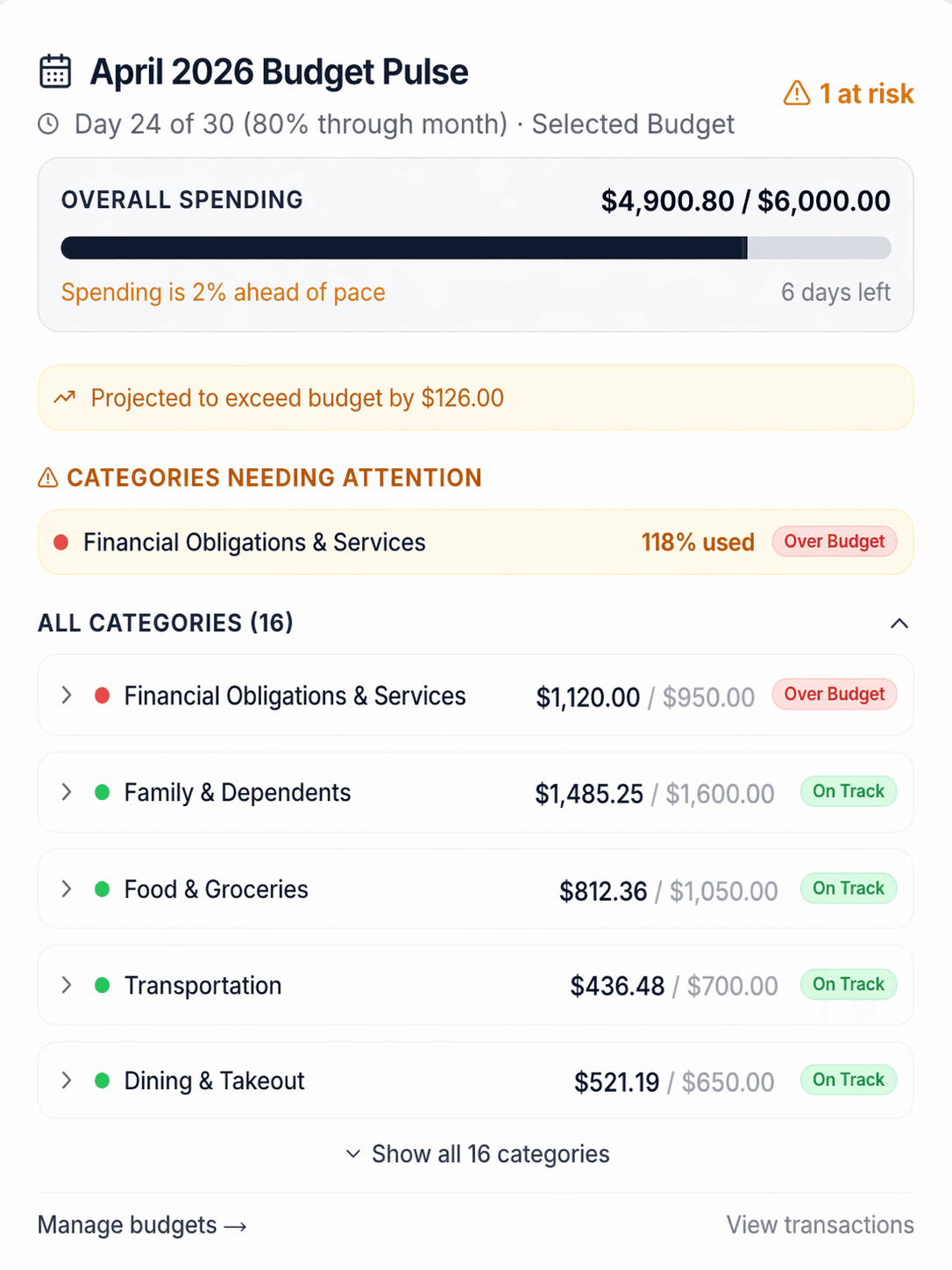
The Budget Pulse compares period activity with the Selected Budget. It can surface categories that are ahead of pace or over target so you can inspect the activity, revise an override, or leave the budget unchanged.
Monthly budget and the balance sheet
On the web, the Personalized Budget does not sit alone. Minimum debt payments stay in Essentials, extra payoff remains a separate reviewable recommendation, and the same household picture can feed Net Worth history and Debt Payoff planning.
Review assets minus liabilities, history points, and stale or unknown balance signals so the monthly plan stays grounded in the bigger picture.
Learn moreModel avalanche, snowball, or custom strategies with estimated payoff timing and interest. Estimates support planning; they are not guarantees.
Learn moreDebt details and required minimum payments inform debt-aware targets. You still review and accept the recommended allocation before it becomes your Selected Budget.
Learn moreExtraction, matching, categorization, and calculation reduce setup work. You review the records, choose whether to accept the recommendation, and control later changes.